Free bookkeeping software, and you can connect it to Claude or ChatGPT.
Real double-entry books, every report, unlimited businesses, free. Hand your AI a bank statement and it imports, categorizes, and reconciles.
What is MCP?
It is how an AI assistant connects to an app’s data. Claude, ChatGPT, or Grok talks to your books directly: it reads what is there and makes changes, the same way you would in the app.
Nothing to install. You connect once, and then talk to your AI.
Works with the AI you already have
A month-end close is now a sentence
This is the whole workflow. You talk to the AI you already use, and it keeps the books through MCP tools.
Your AI, any chat
What hit the books
- 84 transactions imported
import_transactions - 81 categorized, 3 flagged for review
bulk_categorize - 2 transfers matched, posted once
confirm_transfer - Depreciation booked for June
book_depreciation - Books locked through June 30
set_lock_date
Trial balance difference$0.00
Connect the AI you already use
Pick your AI for the exact steps. Most people are done in under a minute.
claude.ai, Desktop, mobile
- 1
Open Settings, then Connectors, then click + to browse.
- 2
Search for LedgerMCP and click Connect. No URL to paste.
- 3
Sign in with a 6-digit email code. Claude now has your books.
What you get
Catch-up in an afternoon
Months behind? Import every statement and categorize in bulk. One bad row never blocks the rest.
A 1099 report your CPA accepts
Tag vendors as you go; your AI does it while categorizing. At year end the 1099 report is ready: totals per vendor, the year’s reporting threshold flagged, missing W-9s called out.
Books that tie to the bank
Reconcile any account against its statement, down to the cent. Transfer and duplicate detection keep the feed clean, and nothing posts twice.
Reports computed live
P&L, balance sheet, and trial balance are computed the moment you ask, in the app or by asking your AI a question in plain language.
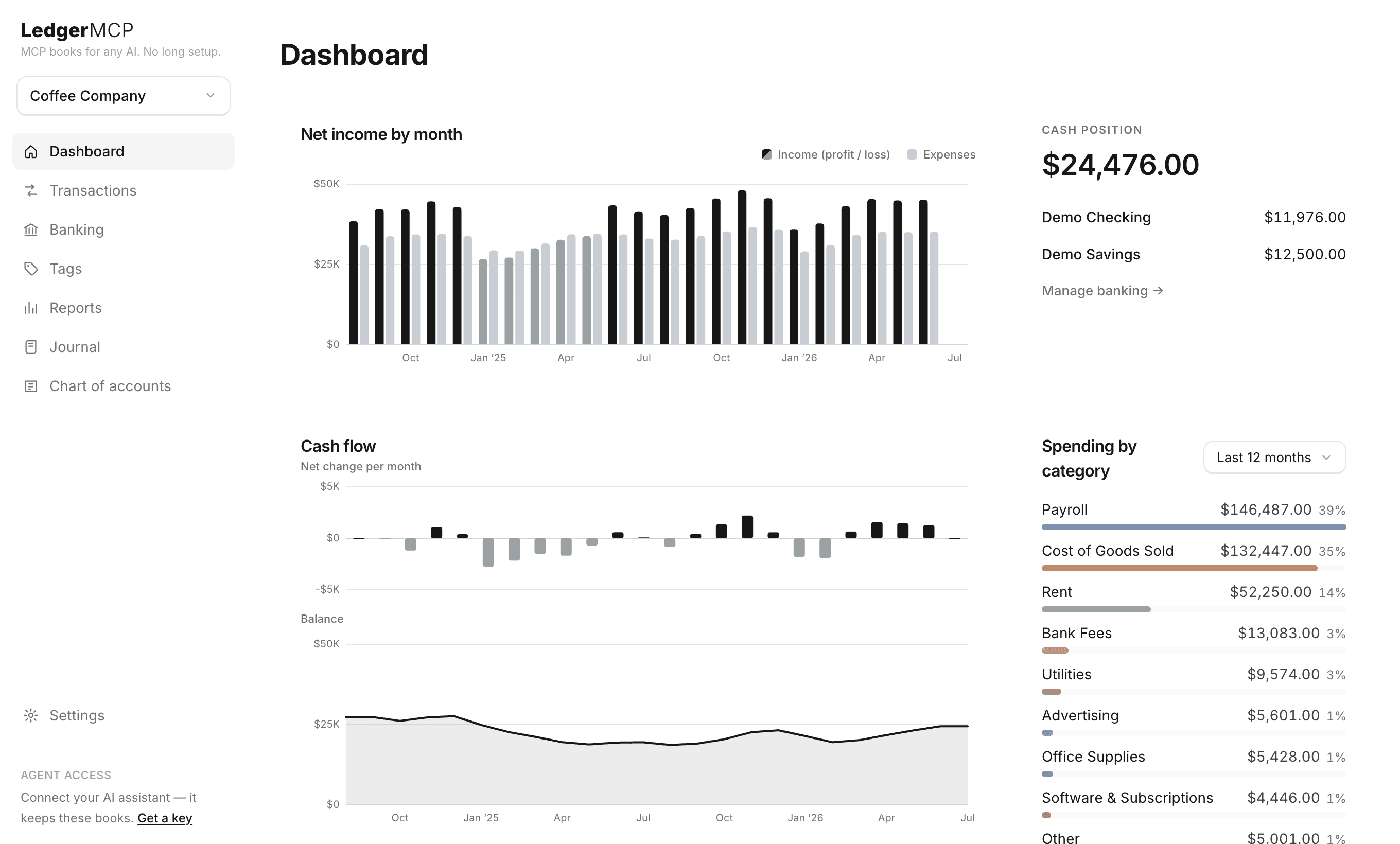
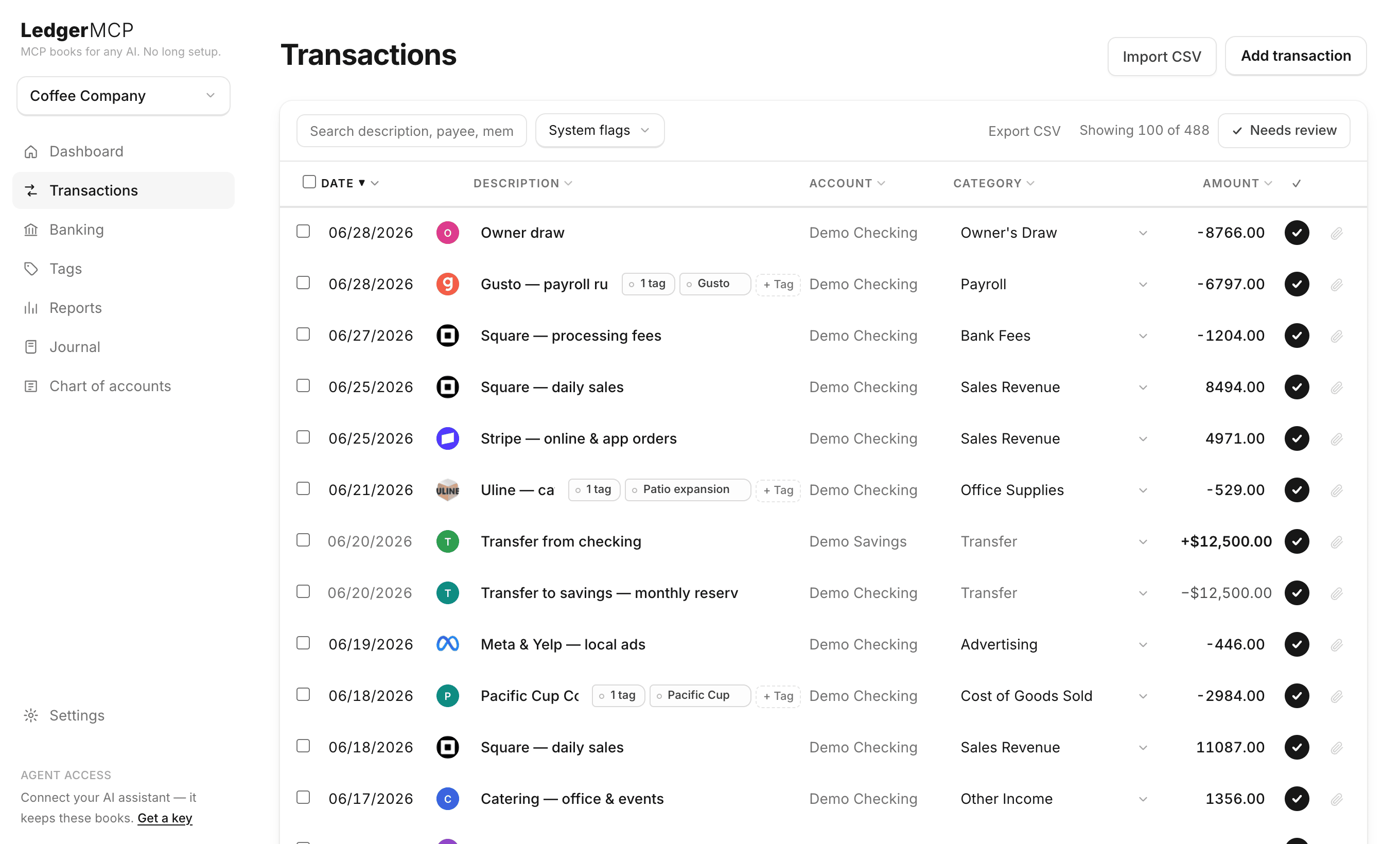
And a UI when you want one
Your AI does the work; you get a clean monochrome interface to check it. Dashboards, drill-through reports, reconciliation, and 1099 prep. The AI and the app read the same books.
For developers
One URL. Any MCP client. Seventy-two tools.
LedgerMCP is a hosted, streamable-HTTP MCP server. No SDK, no local subprocess, no per-company setup.
Point Claude, Claude Code, ChatGPT, Grok, Cursor, or your own agent at it and the full 72-tool accounting contract is available.
- →Read-only keys. Mint a scoped key for an agent that should analyze but never write a line.
- →Keys are hashed at rest. API keys are SHA-256 hashed and revocable; the plaintext is shown once.
- →One key, every book. The same credential covers every business on your account; tools take a
business_id.
{
  "mcpServers": {
    "ledgermcp": {
      "type": "http",
      "url": "https://ledgermcp.com/mcp",
      "headers": { "Authorization": "Bearer lmcp_YOUR_KEY" }
    }
  }
}
Paste into any MCP client. Swap in a key from Settings → Your AI.
Built to be trusted with money
Your AI is writing to your books. Every guarantee below is enforced by the database and the connection, not left to good behavior.
Always balanced
Debits must equal credits or the database rejects it. Your AI cannot write books that don’t balance.
Every write, logged and reversible
Every change your AI makes lands in a running log, tied to its key. Undo any of it in one click from Settings. Nothing is ever quietly edited or deleted.
Encrypted bank access
Bank tokens are sealed at rest with AES-256-GCM, over TLS 1.2+. The browser never holds a database credential; everything goes through the server.
The full picture (architecture, encryption, and policies) is on the security page.
The software is free
Unlimited businesses, reports, and MCP access, free forever with no card.
Live bank feeds start the paid plans, priced by connected accounts across your whole account. Growth and Scale include the built-in assistant.
Free
$0/mo
Bank feeds free for 14 days · CSV, manual, and imports by your AI
No card required
Starter
$9/mo
Up to 10 connected bank accounts
Live bank feeds
Growth
$39/mo
Up to 20 connected bank accounts
Live bank feeds · AI Bookkeeping + Autopilot
Scale
$249/mo
Up to 100 connected bank accounts
Live bank feeds · AI Bookkeeping + Autopilot
Keeping personal books instead of business ones? Personal finance mode is free too.
Why LedgerMCP
We made bookkeeping software free. Connect your AI to the software, and then talk to it.
Your AI is the accountant now.
Frequently asked
Is it safe to let an AI do my bookkeeping?
Yes. Entries must balance or the database rejects them, nothing is ever edited or deleted, and every change your AI makes lands in an audit log you can reverse in one click.
What happens if the AI makes a mistake?
You undo it in one click. Corrections post as linked reversals, so your history stays intact.
What is LedgerMCP?
Double-entry bookkeeping software with a Model Context Protocol (MCP) server built in. Connect Claude or ChatGPT and your AI keeps the books.
Do I need to know accounting or how to code?
No. Hand your AI the key and ask in plain language: “import this statement and categorize it.”
Which AI assistants can keep my books?
Any MCP client: Claude (claude.ai connectors, Claude Code, Desktop), ChatGPT, Grok, Cursor, or one you build yourself. Paste one snippet and your AI gets the full toolset.
Is it real double-entry accounting?
Yes. Every categorization posts a balanced journal entry, enforced in the database.
What does it cost?
The software is free, no card required. Paid plans start at $9/mo for live bank feeds, priced by the number of connected accounts; Growth and Scale include the built-in AI assistant.
Do you store my bank login?
No. Bank connections go through Plaid, and access tokens are sealed at rest, never exposed to the browser. You can also skip bank feeds and use CSV or manual entry.
Can I keep books for more than one business?
Yes, unlimited businesses on one account, free, and one API key covers them all. Accountants and bookkeepers invite staff as members and give clients a review-only view.
Can I use it without an AI?
Yes. Log in and use the web app directly: import CSVs, categorize, reconcile, attach receipts, and export every report.
Give your AI the keys.
Start with CSV and manual entry; connect a bank when you want the feed to flow on its own.
Start free, no card